Chat

Showing posts with label Miscellaneous. Show all posts

Tuesday, September 23, 2025

Pink Sunflowers - FTU

 Scrapkit - Summer Pink Sunflowers - HERE

Mask - Your choice

Template - Friendship - HERE

Tube - Khloe Zoey - HERE

***Disclaimer***

This tutorial is of my own creation. I am using PSP2019. Please leave a thanks when downloading.  If I am using a template, I always start at the bottom and work my way up. If using a FTU or PTU tube - please don't use without proper copyright. Always drop shadow as you go. If you try one of my tuts, I would love to display it on my blog....thanks

~~~~~~~~~~~~~~~~~~~~~~~~

Open template and delete copyright layer and all word art

Image/canvas size/900x900

P7 - apply mask/merge group/send to bottom

Pink rectangles - p15

1&copy - p9

Green rectangle - p10

Blue oval - p13

Yellow strips - p12

E9 - resize 25%

Duplicate/mirror

 Blue circlers - p15

Pink circles - add noise of choice and a slight gradient glow

White circles - p11

Green circle - p16

Position you close up as you want

I added:

Xero/simplicity at default

Adjust/sharpness/sharpen more

Layer properties to overlay

E30 - resize 60%

E59 - resize 20%

Free rotate/right by 20

E58 - resize 20%

Free rotate/left by 20

E32 - resize 50%

E36 - resize 40%

E26 - resize 30%

Position tube

E41 - resize 30%

E38 - resize 40%

E62 - resize 30%

Merge visible/crop/resize as needed/add proper copyright


Fairy - FTU


Scrapkit - Magical Fantasy Land by MTA - HERE

Mask - Your choice

Tube - Yvette's AI Art - HERE

***Disclaimer***

This tutorial is of my own creation. I am using PSP2019. Please leave a thanks when downloading.  If I am using a template, I always start at the bottom and work my way up. If using a FTU or PTU tube - please don't use without proper copyright. Always drop shadow as you go. If you try one of my tuts, I would love to display it on my blog....thanks

~~~~~~~~~~~~~~~~~~~~~~~~

Open p8 - apply mask/merge group

E19 - resize 40%

Mura meister - copies/encircle/default

Frame6 - resize 70%

E43 - resize 60%

Position tube

E1 - resize 85%

E14 - resize 45%

E58 - resize 45%

E37 - resize 40%

E9 - resize 60%

E15 - resize 40%

E21 - resize 45%

Merge visible/crop/resize as needed/add proper copyright

Wally

Sunshine and Lemons - FTU


Scrapkit - AKK May Blog 24 - HERE

Template - #45 by Mizteeque - HERE

Tube - Creative Fabrica

***Disclaimer***

This tutorial is of my own creation. I am using PSP2019. Please leave a thanks when downloading.  If I am using a template, I always start at the bottom and work my way up. If using a FTU or PTU tube - please don't use without proper copyright. Always drop shadow as you go. If you try one of my tuts, I would love to display it on my blog....thanks

~~~~~~~~~~~~~~~~~~~~~~~~

Open template and delete copyright layer

Image/canvas size/800x800

Click bottom layer

E84

F1 - resize 85%

E75 - resize 75%

1 - flood fill color of choice

E24 - resize 40%

Free rotate/right by 20

2,5,11 - p13

3,7,10 - p19

4,8,12 - flood fill

6,9,13 - p5

E43 - resize 50%

E23 - resize 40%

E52 - resize 60%

E9 - resize 30%

E76 - resize 20%

Position tube

Merge visible/crop/resize as needed/add proper copyright

Angelic - FTU


 Scrapkit - Pray by Flowery - HERE

Mask - Your choice

Template - #44 by Becky - HERE (bundle 41-50)

Tube - Provided in kit

***Disclaimer***

This tutorial is of my own creation. I am using PSP2019. Please leave a thanks when downloading.  If I am using a template, I always start at the bottom and work my way up. If using a FTU or PTU tube - please don't use without proper copyright. Always drop shadow as you go. If you try one of my tuts, I would love to display it on my blog....thanks

~~~~~~~~~~~~~~~~~~~~~~~~

Open template and delete copyright layer and word art

Image/canvas size/800x800

Click bottom

E31

Mura meister - copies/wallpaper rotate

Adjust/blur/gaussian at 20

Effects - texture/antique mosaic at default

Apply mask/merge group

Circle big - E21 - resize 30%

Mura meister - copies/encircle/20,55,55

Circle - p7

Frame fill - color of choice

Frame2 - flood fill color of choice

Position tube - resize 110%

Frame fill 1 - flood fill color of choice

Grab magic wand and click your fill

E15 - paste into selection/select none

Frame1 - flood fill color of choice

E30 - resize 60%

E9 - resize 60%

E20 - resize 55%

E5 - resize 60%

E19 - resize 45%

E49 - resize 45%

Merge visible/crop/resize as needed/add proper copyright


Lovely - FTU (Fast)


Scrapkit - Lovely Ladybug by Adrienne - HERE

Tube - Yvette's Ai Art - HERE

***Disclaimer***

This tutorial is of my own creation. I am using PSP2019. Please leave a thanks when downloading.  If I am using a template, I always start at the bottom and work my way up. If using a FTU or PTU tube - please don't use without proper copyright. Always drop shadow as you go. If you try one of my tuts, I would love to display it on my blog....thanks

~~~~~~~~~~~~~~~~~~~~~~~~

E51

Image/canvas size 900x900

E2 - resize 20%

Mura Meister/copies/encircle/18,70,70

Drag below E51

E38

E1 - resize 30%

E66 - resize 40%

E70 - resize 35%

E5 - resize 40%

Position your tube where you like

Merge visible/crop/resize as needed/add proper copyright 

Sandy


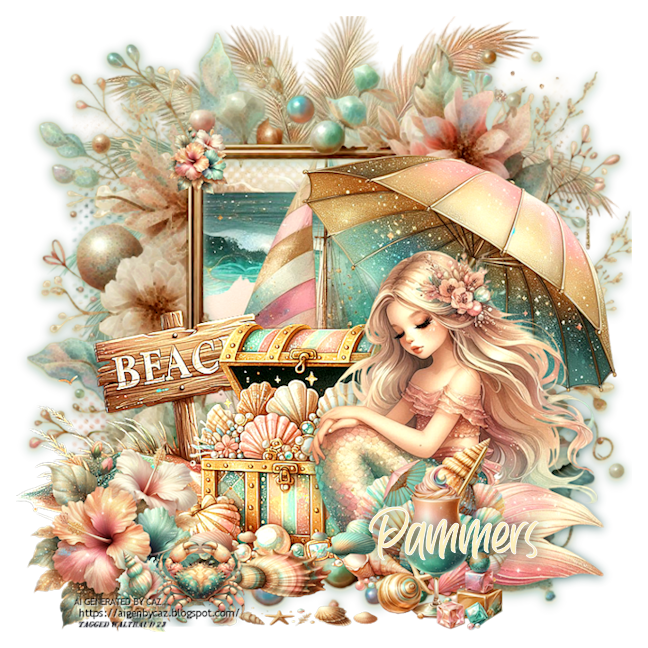
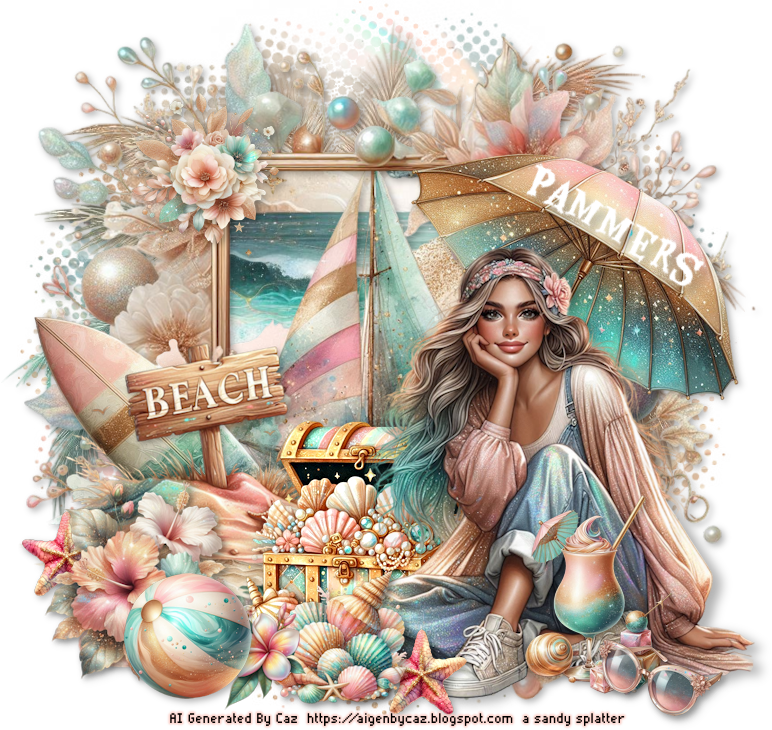
Mermaid - FTU

Scrapkit - Tale of the Deep Blue Sea by MTA - HERE

Mask - HERE #9

Tube - The Paper Shelter - HERE

***Disclaimer***

This tutorial is of my own creation. I am using PSP2019. Please leave a thanks when downloading.  If I am using a template, I always start at the bottom and work my way up. If using a FTU or PTU tube - please don't use without proper copyright. Always drop shadow as you go. If you try one of my tuts, I would love to display it on my blog....thanks

~~~~~~~~~~~~~~~~~~~~~~~~

P4 - apply mask/merge group

E58 - resize 90%

Frame3

E73 - resize 35%

E49 - resize 45%

E56 - resize 35%

E7 - resize 35%

Image7 - resize 60%

Image5

E25 - resize 35%

E10 - resize 35%

E41 - resize 25%

E15 - resize 25%

Position tube

Merge visible/crop/resize as needed/add proper copyright 

Wally

Bobbie
Karen


Summer - PTU


Scrapkit - CU Pack 49&50 by Yvette - HERE

Mask - Your choice

Template - HERE

Tube - In pack

***Disclaimer***

This tutorial is of my own creation. I am using PSP2019. Please leave a thanks when downloading.  If I am using a template, I always start at the bottom and work my way up. If using a FTU or PTU tube - please don't use without proper copyright. Always drop shadow as you go. If you try one of my tuts, I would love to display it on my blog....thanks

~~~~~~~~~~~~~~~~~~~~~~~~

Open template and delete copyright layer, 3&4

Image/canvas size/800x800

BG2 (pack 49) - apply mask/merge group/send to bottom

E23 (49) - resize 65&

Layer 1&2 - change color

Layer5 - bg1 (49)

Layer6 - flood fill color of choice

Layers 7&9 - Bg2

Layers 8&10 - flood fill color from earlier

Position tube

E26 (50) - resize 20%

Duplicate/mirror

E13 (49) - resize 29%

E15 (50) - resize 20%

E20 (49) - resize 30%

E12 (50) - resize 20%

E20 (50) - resize 15%

E19 (50) - resize 20%

E16 (50) - resize 20%

E22 (49) - resize 20%

E4 (49) - resize 25%

Position tube

Merge visible/crop/resize as needed/add proper copyright

Summer Hot - FTU


Scrapkit - Wonderful Hawaii - HERE

Mask - Your choice

Template - #4 by Mizteeque - HERE

Tube - Tube219

***Disclaimer***

This tutorial is of my own creation. I am using PSP2019. Please leave a thanks when downloading.  If I am using a template, I always start at the bottom and work my way up. If using a FTU or PTU tube - please don't use without proper copyright. Always drop shadow as you go. If you try one of my tuts, I would love to display it on my blog....thanks

~~~~~~~~~~~~~~~~~~~~~~~~

Open template and delete copyright layer and white background

Image/canvas size/800x800

P7 - apply mask/merge group/send to bottom

Doodle - p1

Rectangle background - flood fill color of choice

Rectangles - p2

E39 - resize 75%

E67 - resize 65%

Large square back - flood fill color of choice

Large square - p8

Small square back - flood fill color of choice

Small square - p6

Position tube

E38 - resize 30%

E5 - resize 30%

E114 - resize 30%

E36 - resize 25%

E11 - resize 30%

Merge visible/crop/resize as needed/add proper copyright 

Mumu

Gigi
Wally
KITT
Natalie
Mandy

June


Sunflower Girl - FTU

Scrapkit - Sunny Flowers - HERE

Mask - Your choice

Template - #9 by Becky - HERE

Tube - Supplied in kit

***Disclaimer***

This tutorial is of my own creation. I am using PSP2019. Please leave a thanks when downloading.  If I am using a template, I always start at the bottom and work my way up. If using a FTU or PTU tube - please don't use without proper copyright. Always drop shadow as you go. If you try one of my tuts, I would love to display it on my blog....thanks

~~~~~~~~~~~~~~~~~~~~~~~~

Open template and delete copyright layer, word art, and white layer

Image/canvas size/800x800

P10 - resize 140%

Apply mask/merge group/send to bottom

Curly doodle - flood fill color of choice

Add a glass effect of choice

Flower bg - color of choice

Add same glass effect

Flower - p23

Position tube

E44 - resize 60%

E32 - resize 40%

E3 - resize 45%

E29 - resize 50%

E47 - resize 45% and erase stems

E33 - resize 25%

Tube3 - resize 40%

E9 - resize 35%

E6 - resize 20%

Merge visible/crop/resize as needed/add proper copyright

Wally

Sandy
Kittie


Summer Pearl - FTU


Scrapkit - Mother of Summer Pearl by Caz - HERE

Mask - Your choice

Tube - Supplied in kit

***Disclaimer***

This tutorial is of my own creation. I am using PSP2019. Please leave a thanks when downloading.  If I am using a template, I always start at the bottom and work my way up. If using a FTU or PTU tube - please don't use without proper copyright. Always drop shadow as you go. If you try one of my tuts, I would love to display it on my blog....thanks

~~~~~~~~~~~~~~~~~~~~~~~~

P5 - apply mask/merge group

E46

Frame1 - resize 90%

Erase any inside frame

E2 - resize 90% - erase frame

E15 - resize 60% - drag down one layer

E7 - resize 45%

E17 - resize 40%

E16 - resize 50% and mirror

Tube - resize as needed (mine was 60% and mirrored)

E50 - resize 30%

E6 - resize 25%

E57 - resize 30%

E51 - resize 20%

E31 - resize 18%

E8 - resize 20% and mirror

E49 - resize 20%

Merge visible/crop/resize as needed/add proper copyright

Wally

Sandy
Miggins
Kittie
Karen

Raspberry - FTU


 Scrapkit - Raspberry Season by Linda - HERE

Mask - Your choice

Template - Vix's #9 - HERE

Tube - by Caz - HERE

***Disclaimer***

This tutorial is of my own creation. I am using PSP2019. Please leave a thanks when downloading.  If I am using a template, I always start at the bottom and work my way up. If using a FTU or PTU tube - please don't use without proper copyright. Always drop shadow as you go. If you try one of my tuts, I would love to display it on my blog....thanks

~~~~~~~~~~~~~~~~~~~~~~~~

Open template and delete copyright layer, word art, and white background

Image/canvas size/800x800

P1 - apply mask/merge group/send to bottom

E61 - resize 70%

Tag back - p3

Simple - flood fill color of choice

Gradient glow on pleasures

Square fills - p2

Frames - flood fill color of choice

Rectangle fill - p1

E24

Position tube

E49 - resize 60%

E54 - resize 60%

E6 - resize 40%

E13 - resize 30%

E5 - resize 20%

E15 - resize 40%

E19 - resize 40%

E23 - resize 40%

Merge visible/crop/resize as needed/add proper copyright


Brown Eyes - FTU

Scrapkit - Lovely Ladybug - HERE

Textures by Me - HERE

Mask - Your choice

Template - Vix #4 - HERE

Tube - Yvette's AI - HERE

***Disclaimer***

This tutorial is of my own creation. I am using PSP2019. Please leave a thanks when downloading.  If I am using a template, I always start at the bottom and work my way up. If using a FTU or PTU tube - please don't use without proper copyright. Always drop shadow as you go. If you try one of my tuts, I would love to display it on my blog....thanks

~~~~~~~~~~~~~~~~~~~~~~~~

Open template and delete copyright layer and word arts

Image/canvas size/800x800

Open a texture/apply mask/merge group

Large black circle - texture of choice

Selections/all/float/modify by 5/new raster layer/flood fill with black and drag below

Do the same for the other 2 circles

Small grey circle - flood fill with color of choice

E36 - resize 90%

E66 - resize 45%

E104 - resize 35%

E14 - resize 30%

Duplicate/mirror

Position tube

Merge visible/crop/resize as needed/add proper copyright


Sailor Girl - FTU


 Scrapkit - Along the Shoreline - HERE

Mask - your choice

Template - SE template 126 - HERE

Tube - supplied in kit

***when downloading, highlight all files on each link and download together so each are in their own folder***

***Disclaimer***

This tutorial is of my own creation. I am using PSP2019. Please leave a thanks when downloading.  If I am using a template, I always start at the bottom and work my way up. If using a FTU or PTU tube - please don't use without proper copyright. Always drop shadow as you go. If you try one of my tuts, I would love to display it on my blog....thanks

~~~~~~~~~~~~~~~~~~~~~~~~

Open template and delete top 5 layers and word art layer

Image/canvas size/800x800

Click bottom layer and flood fill with color of choice

Mask of choice

Bg mask - p8-3

Delete original Bg mask

BG frame - flood fill with same color/add inner bevel

E116-4

Frame fill - p8-2 (move around to get just the scene background)

Frame trim - add noise

Frame - add light color

Add tube - resized 65%

E116-3

E116-8

E116-26 - resize 30%

E116-11 - resize 40%

E116-12 - resize 40%

Image/free rotate/right by 20

Merge visible/crop/resize as needed/add proper copyright

Rachey

Miggins
Wally
Sandy
Jenny


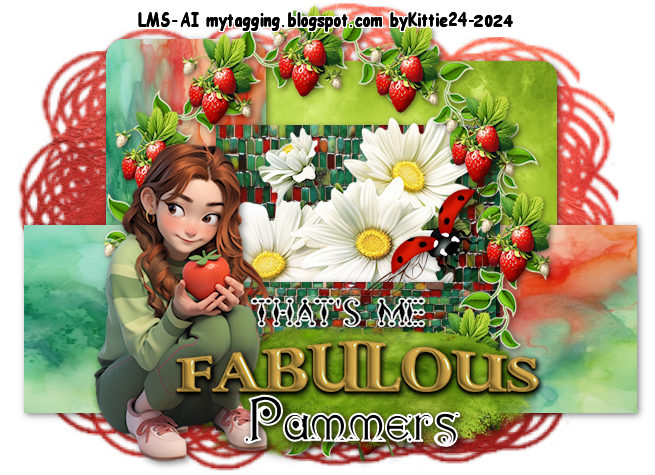
Fabulous - FTU


Scrapkit - MTA's "Fresh Strawberries" - HERE

Mask - your choice

Template - Millie's 794 - HERE

Tube - MTA - HERE (you will have to scroll down a bit)

***Disclaimer***

This tutorial is of my own creation. I am using PSP2019. Please leave a thanks when downloading.  If I am using a template, I always start at the bottom and work my way up. If using a FTU or PTU tube - please don't use without proper copyright. Always drop shadow as you go. If you try one of my tuts, I would love to display it on my blog....thanks

~~~~~~~~~~~~~~~~~~~~~~~~

Open template and delete copyright layer

Image/canvas size/800x800

P2 - use your pick tool to stretch to fit your canvas/apply mask/merge group/send to bottom

1 - p3

E49 - resize 30%

Duplicate/mirror

2 - p8

3 - p4

Frame2 - resize 80%

E37 - resize 10%

Mura meister/copies/encircle/12,70,70

Frame3 - resize 80%

4 - p6

E41 - resize 40%

5 - p5

E4 - resize 40%

Duplicate/mirror and position

Position tube

E5 - resize 60%

E2 - resize 50%

Image/free rotate/right by 90

E46

E10 - resize 65%

I added a small gradient glow to the word art

Position as you like

E23 - resize 10%

Image/free rotate/left by 90

Duplicate/mirror

Merge visible/crop/resize as needed/add proper copyright

Kimberly

Rachey
Sandy
Kittie

Siren - FTU


 Scrapkit - Dark Siren by SBOF - HERE

Mask - HERE (2nd mask)

Template - #53 by Sylly - HERE

Tube - StellaFelice7 - HERE

***Disclaimer***

This tutorial is of my own creation. I am using PSP2019. Please leave a thanks when downloading.  If I am using a template, I always start at the bottom and work my way up. If using a FTU or PTU tube - please don't use without proper copyright. Always drop shadow as you go. If you try one of my tuts, I would love to display it on my blog....thanks

~~~~~~~~~~~~~~~~~~~~~~~~

Open template and delete copyright layer and black dotted black

Image/canvas size/900x900

P16 - apply mask/merge group/send to bottom

Pink slabs - p22

Pink noisy back - flood fill color of choice

Add a glass effect

Black slabs - p8

E106

E108

Pink noisy - flood fill

Black dotted rectangle - flood fill

Add same glass effect

Pink rectangle - p22

E79

E91 - resize 45%

E20 - resize 20%

E111 - resize 50%

Duplicate/mirror

E81 - resize 20%

Duplicate a few times and randomly position

E85 - resize 20%

Position tube

E31 - resize 35%

Merge visible/crop/resize as needed/add proper copyright

Rachey

Sandy

Wally